
Monroe County Jail Mugshots Overview
The Monroe County Sheriff's Office publishes booking photos through its current arrests page at keysso.net/arrests, not through the current-inmate roster table. The two pages serve different purposes. The inmate roster at keysso.net/jailog shows who is in custody right now, with housing location, charges, and bond lines, but no photographs. The arrests page shows recent bookings organized by date, and each entry carries a photo thumbnail alongside a link to a larger version of the same booking image. The sheriff operates this system countywide for the Key West, Marathon, and Plantation Key detention facilities.
Each entry on the arrests page carries an as-of timestamp and is sorted by arrest date in descending order. The page is not a historical archive. It shows recent arrests, and the sheriff does not publish a stated retention window for how long a photo stays listed. Once an entry drops off or is removed, the path to that image shifts to a public-records request rather than a live page lookup.
Note: the current-arrests and current-inmate pages carry separate as-of timestamps, so a very recent booking may appear on one before the other; call Jail Records at 305-293-7400 if an entry does not load in either place.
Where Monroe County Booking Photos Appear
The sheriff's arrests page is the public-facing source for Monroe County booking photos. It is free to access and does not require a login or account. The page groups arrest entries by date and lists them in alphabetical order within each date group. Because there is no keyword search box, the intended method is the browser's built-in Find tool. On a standard computer, pressing CTRL and F together opens a text search box that jumps to any matching name on the page. On a phone or tablet, the same Find function is usually available through the browser menu.
The arrests page image links use a standard file pattern. Each entry shows a small thumbnail photo, and clicking or tapping that image opens a larger booking photo stored on the sheriff's server. Both the thumbnail and the full image are public when visible on the page.
When a photo is not visible on the arrests page, the next step is to check whether the person is still in custody by opening the current-inmate roster. If the person no longer appears on either page, or if an older booking photo is needed as a formal record, a public-records request to the Monroe County Sheriff's Office is the correct path. The JustFOIA portal at monroecountysherifffl.justfoia.com handles sheriff records requests online.
The screenshot below is sourced from keysso.net/arrests, the official MCSO current arrests page.
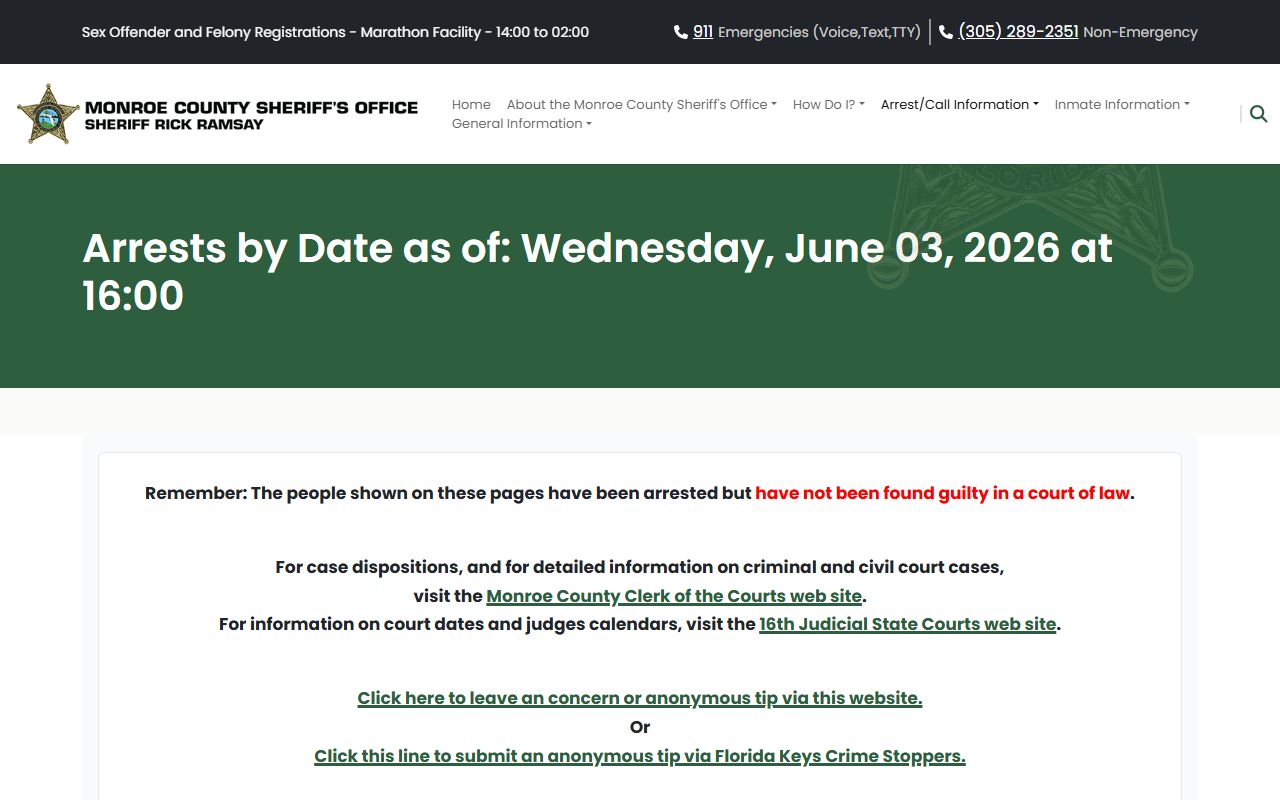
The page displays each arrest date group in descending order, with a photo thumbnail and a link to the larger Monroe County booking photo beside each name.
What a Monroe County Arrest Entry Shows
Each entry on the arrests page combines the booking photo with the arrest-time fields the sheriff records at intake. The photo is prominent: a thumbnail appears inline, and a click opens a larger image. Alongside the photo, the entry shows identity and demographic details, the arrest date and time, the location where the arrest occurred, identifying case numbers, the bond amount or status, the arraignment date if set, and the full charge list. The table below maps the fields drawn from the MCSO arrest data inspected on June 3, 2026.
| Field | What It Shows |
|---|---|
| Booking Photo | A thumbnail image and a link to a larger booking photo stored on the MCSO server. Both are public when visible on the page. |
| Name | Displayed in uppercase last-name-first format as recorded at booking. |
| Demographics (age, sex, race) | Numeric age or "NA," sex code, and race code as recorded at arrest. Address and occupation appear when available; some entries show "Not Available." |
| Arrest Date and Time | Date in MM/DD/YYYY format and time in HH:mm, reflecting when the arrest occurred rather than when the entry posted online. |
| Arrest Location | The street address or location where the arrest took place; warrant or probation-hold bookings may list a facility address. |
| CAD Number / Offense Number | Computer-aided dispatch incident number and MCSO offense report number when available; examples follow formats like MCSO26CAD080601 and MCSO26OFF003671. |
| Bond | Numeric bond amount; a zero may indicate no payable bond or an unresolved bond context - confirm with the jail before any payment. |
| Arraignment | Date and time of the arraignment hearing, or "Unknown at this time" when not yet scheduled. |
| Charges | One or more charge lines, each stating count, charge level (misdemeanor, felony, or unknown), Florida statute number, and a short description. |
These fields come from the live arrest data endpoint and are what any person can see when they open an entry on the public arrests page. Date of birth, officer name, and detailed physical descriptors such as height and weight were not visible in the public page output inspected.
How to Find or Request a Monroe County Booking Photo
The steps below follow the public access path from the live arrests page to a formal records request. Use them in order: the live page is fastest when an entry is recent, and the records request covers photos that have been removed or are needed as official copies.
- Open the MCSO current arrests page at keysso.net/arrests and note the as-of timestamp at the top.
- Press CTRL and F to open the browser Find box, then type the person's last name to jump to any matching entries on the page.
- Locate the correct entry by comparing the name, arrest date, age, and charges; then click or tap the photo thumbnail to open the larger booking image.
- If the name does not appear on the arrests page, open the current-inmate roster at keysso.net/jailog and use CTRL-F again to confirm whether the person is still in custody.
- If the photo is not available online or an older booking image is needed as a record, submit a public-records request through the MCSO JustFOIA portal at monroecountysherifffl.justfoia.com; include the person's name, arrest date, MNI number if known, and the CAD or offense number from the arrests page, and state that you are requesting the booking photograph.
Are Monroe County Jail Mugshots Public Record?
Florida law starts from broad public access. Booking photos made or received by the Monroe County Sheriff's Office in the course of official business are generally public records under Chapter 119 of the Florida Statutes. That general rule means MCSO can and does publish recent booking photos on the arrests page without requiring a request. However, broad access is not unlimited access. Specific exemptions can prevent release of a particular booking photo even if the underlying arrest is public. Those exemptions include a sealed or expunged record under sections 943.059 and 943.0585, juvenile confidentiality, a victim or witness protection exemption, an active-investigation exemption that the agency invokes, or a court order restricting release. Outside those circumstances, the booking photo is ordinarily available on request if it is not already visible on the public page.
Florida also regulates the commercial side of booking-photo publishing separately from the public-records framework. Section 901.43 of the Florida Statutes addresses practices related to commercial booking-photo publishing and removal-fee conduct. The correct route for clearing an arrest record - and the effect that has on public access to a booking photo - runs through the formal sealing and expunction process, not through any private fee-based removal service.
Key Statutes:
Florida Statutes, Chapter 119 - Florida's Public Records Law, which makes records made or received by the sheriff in official business generally available to the public unless a specific exemption applies.
Florida Statutes, section 943.059 - Governs court-ordered sealing of eligible criminal history records, which limits what the public can inspect online or in person once a sealing order is in place.
Florida Statutes, section 943.0585 - Governs court-ordered expunction of eligible criminal history records, with broader effect on public access than sealing when an expunction order is granted.
Florida Statutes, section 901.43 - Restricts certain commercial booking-photo publishing practices and prohibits charging fees for removing arrest photos from commercial sites; this statute does not govern MCSO's own public arrests page.
How Long a Booking Photo Stays Online
The Monroe County Sheriff's Office does not publish a stated retention window for how long a booking photo remains visible on the arrests page. The page shows recent arrests by date with an as-of timestamp, and the content reflects whatever the sheriff's system currently returns. An entry that appeared one day may not appear the next if the underlying data changes. Because no official number of hours or days is stated, it is not accurate to promise that any specific entry will remain public for a defined period.
When a booking photo is no longer visible on the arrests page, the standard path is a public-records request to the Monroe County Sheriff's Office through the JustFOIA portal. The sheriff holds booking records as part of official arrest documentation, and Chapter 119 gives the public the right to request copies unless an exemption applies. A requestor should include the person's name, the arrest date, the MNI number if known, and any offense or CAD number shown on the arrests page when the entry was still visible.
What is and isn't public: The MCSO arrests page publicly shows a booking photo thumbnail, the larger image, name, arrest date and time, age, sex, race, address when available, arrest location, CAD and offense numbers when available, bond amount, arraignment date or "Unknown at this time," and the full charge list for each recent arrest entry. Information that is not shown on the public page includes date of birth in the visible output, detailed physical descriptors such as height and weight, and the arresting officer's name in the samples inspected; those details, and any booking photo that has been removed from the page, may be requested through a formal public-records request but could be withheld if a specific exemption - such as sealing, expunction, a juvenile record, or an active-investigation exemption - applies to that particular record.
Requesting a Monroe County Booking Photo
When a booking photo is not visible on the live arrests page - because the entry has aged off, the record was updated, or an official copy is needed - the correct channel is a public-records request to the Monroe County Sheriff's Office. The sheriff's JustFOIA portal at monroecountysherifffl.justfoia.com accepts requests online and is the primary digital route for sheriff records. Include the following details in the request to help the custodian locate the correct record: the arrested person's full name, the arrest date, the MNI number if you have it from the arrests page or the inmate roster, the CAD number or offense number if shown, and a clear statement that you are requesting the booking photograph or booking record. Florida Chapter 119 allows agencies to charge a reasonable copying fee for records provided; confirm any fee with the sheriff's office at the time of the request.
For in-person or phone follow-up on a records request, Jail Records at 305-293-7400 handles questions about information on the current-inmates page and may be able to assist with booking-record questions. The main jail line at 305-293-7300 is a general contact for the Key West facility.
The image below is sourced from the Monroe County Sheriff's Office homepage at keysso.net.

The MCSO homepage links to the arrests page, the current-inmates roster, and other inmate information pages from its main navigation.
Mugshot Removal and Sealed Records
Removing a Monroe County booking photo from public view is tied to Florida's sealing and expunction process, not to any private or commercial removal service. When a court orders a record sealed under Florida Statutes section 943.059, the public's ability to inspect that record is restricted, and agencies that hold it are generally required to treat it as confidential. When a court orders expunction under section 943.0585, the effect goes further and the record is physically destroyed or rendered inaccessible in most contexts. Either outcome changes what the sheriff and other agencies may lawfully release in response to a public request for that booking photo or arrest record.
The process for sealing or expunging an arrest record runs through the Florida Department of Law Enforcement and the courts, not through the Monroe County Sheriff's Office directly and not through any third-party fee-based service. For details on the steps involved and eligibility requirements, see the court records after a jail arrest page, which covers the sealing and expunction process in the context of Monroe County cases. Florida section 901.43 restricts commercial booking-photo publishers from charging fees to remove arrest images, but that statute governs private businesses, not the sheriff's public page; the records-clearing route through sealing or expunction is the appropriate path for affecting official records.
Monroe County Arrests Page vs. Inmate Roster
The two main MCSO public pages serve different audiences and carry different data. Knowing which one to use saves time. The arrests page at keysso.net/arrests is the right tool when the question is about a booking photo, arrest date and time, arrest location, or charge as recorded at the moment of arrest. The current-inmate roster at keysso.net/jailog is the right tool when the question is about present custody, housing location, bond amount, case number, or arraignment date for someone still held in the jail. A person can appear on both pages at the same time if the arrest is recent and the person is still in custody. Once someone is released or transferred, the inmate roster entry typically drops, but the arrests page may still show the booking entry until it ages off as well.
For current inmate lookup details and a field inventory of the roster, see the jail inmate records page, which covers the current-inmate roster, the MNI number system, and how to search by name using the browser Find function.
Federal and State Booking Photos
The county booking-photo system works differently from federal and state agencies. The Federal Bureau of Prisons locator at bop.gov shows name, register number, age, race, sex, release date, and facility for sentenced federal inmates, but it is not a booking-photo gallery. The U.S. Marshals Service holds federal pretrial detainees and does not publish booking photos in the way county jails do. A federal defendant who started in Monroe County custody and moved to federal custody exits the MCSO system; the BOP locator at bop.gov/inmate_locator is the search tool for sentenced federal inmates from 1982 forward. No federal Bureau of Prisons facility sits inside Monroe County.
The ICE Online Detainee Locator System at locator.ice.gov is a custody tool for immigration detainees in ICE or CBP custody, not a booking-photo resource. It requires an A-number or an exact name plus country of birth and cannot search records for anyone under 18. No ICE detention facility was located inside Monroe County in the official sources reviewed.
The Florida Department of Corrections offender search at pubapps.fdc.myflorida.com/OffenderSearch does display photographs for sentenced state prisoners. FDC says inmate-population data and photos are refreshed weekly, with release dates and location changes updated nightly. A Monroe County defendant who was convicted and sent to state prison will appear in the FDC system rather than the county sheriff's page, and the FDC profile photo is a state prison intake photo rather than the county booking photo captured at the original arrest.